INDEPENDENT PRODUCT / DEPLOYED WEB APPLICATION
A development workspace for your phone.
I built WorkSpace around a practical question: how much of a development workflow can fit into the device a student already has? It brings GitHub repositories, source files and student work tools into one compact web interface.
One place to pick up work.
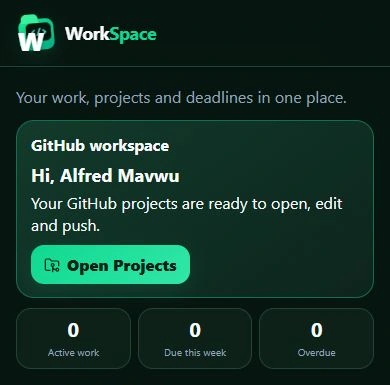
The home screen puts GitHub access alongside active work, deadlines and recent activity. Assignments and labs have their own area, while the persistent bottom navigation keeps the main parts of the application within reach.
I kept the interface narrow and consistent across screen sizes. On desktop it still uses the same compact layout; on a phone it fills the available width.
01 / GITHUB & FILES
From repository to source file.
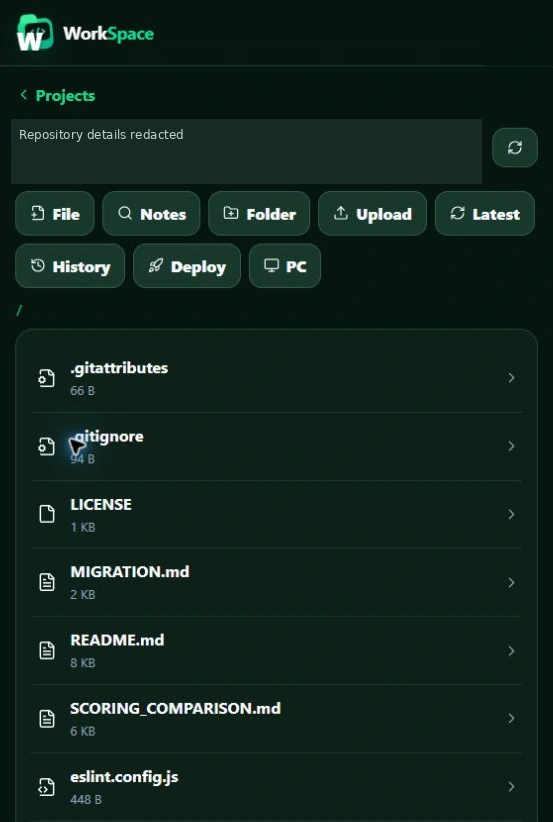
GitHub sign-in leads to a repository list. Inside a repository, the interface exposes branch selection, folders, files and commit history. During the product review, these views loaded real GitHub data and a source file opened in the editor.
The file browser also exposes file and folder creation, upload, notes and other repository tools. Those controls are visible here; the review did not create, rename or delete project data.
Repository identity is permanently redacted. The visible filenames and source excerpt were checked against a public repository before publication.
02 / PHONE-FIRST EDITOR
Code, with the small-screen details considered.
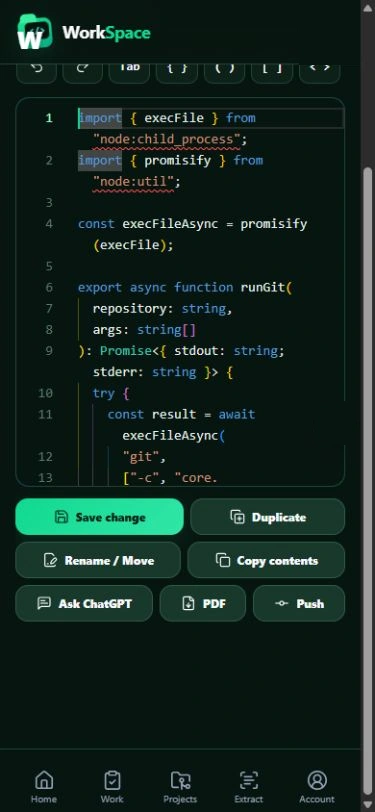
The editor displays syntax highlighting, line numbers and a toolbar for common coding characters. In the phone layout, long source lines wrap within the editor. The screenshots show the same real TypeScript excerpt at desktop and mobile widths.
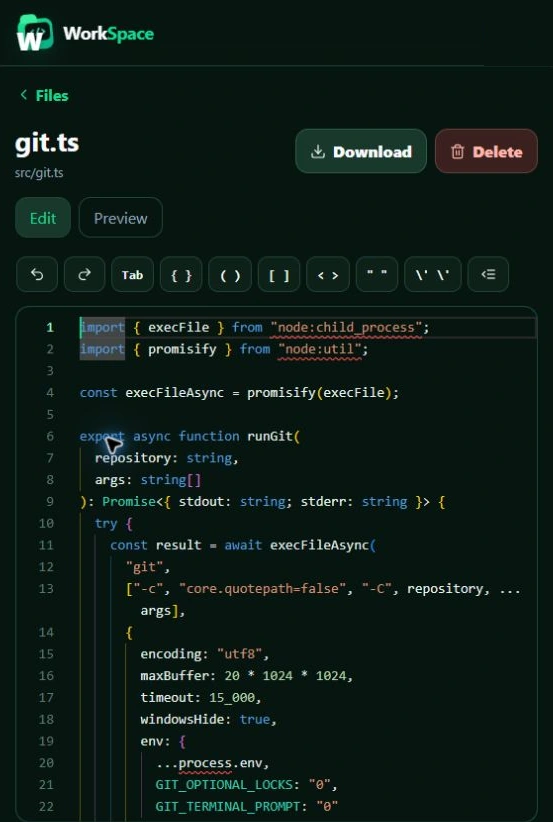
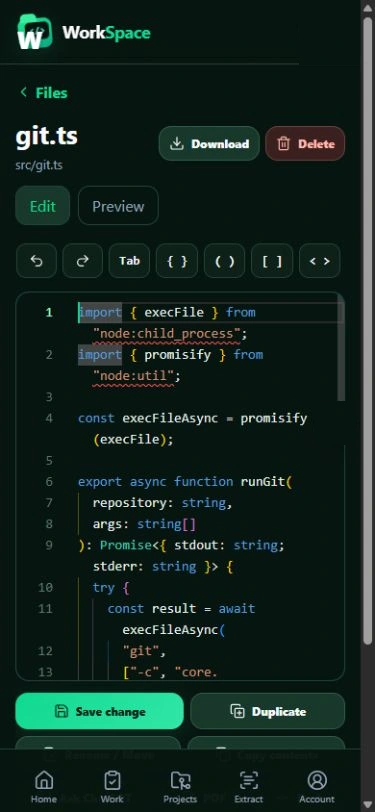
Fitting an editor into a phone is more than shrinking a desktop view. Text needs to stay legible, common symbols need to be reachable and navigation needs to remain clear. The deployed editor shows that direction, while longer editing sessions still need further testing.
03 / FILE ACTIONS & GIT
Keep the next action close.
Save change, duplication, rename/move, copying, export and Push are grouped below the editor. Repository history is available from the file browser.
The intended journey is to open a repository, work on a file and send reviewed changes back to GitHub. The screenshot review verified browsing and loaded history, but deliberately stopped before saving, staging, committing or pushing. I do not use these images as evidence that those write operations passed end-to-end testing.
Reliability is part of the work.
A phone workflow needs to handle interruptions as carefully as editing. Autosave, recovery and reconnection were not verified in this review, so I am not presenting them as proven capabilities.
Reopening a recent file exposed an editor-initialisation error and a loading state that did not clear on one attempt. Reloading and opening the file through the repository browser succeeded. That leaves a concrete refinement task: make reopening reliable before treating recovery as complete.
What is shipped, and what still needs proof.
- Observed in the deployed application: GitHub sign-in, repository and folder browsing, a branch picker, loaded commit history, source display in desktop and mobile editors, and the Assignments & Labs interface.
- Visible, with execution still to verify: Save change, file-management actions, Push, document extraction and exports.
- Outside the evidence shown here: staging and commit dialogs, remote-PC operation, deployment tools, autosave guarantees, recovery and reconnection handling.
Screenshots were captured from the live application on 28 October 2026. Identifying details and browser overlays are permanently masked in the exported pixels. No private source code, credentials or private activity lists are published. The interface has not been recreated as a mockup.